Open hardware · work in progress

OhListo

The shopping list that lives on your fridge. Write "milk" on it, and a few seconds later it's on the list on your phone, ready for the store.

2.8″ touch screenStylus or fingerLists on your phone ESP32, Wi-FiMagnets, no screws in the fridgeRuns on a USB-C cable
Open the appSign-in is invite-only for now
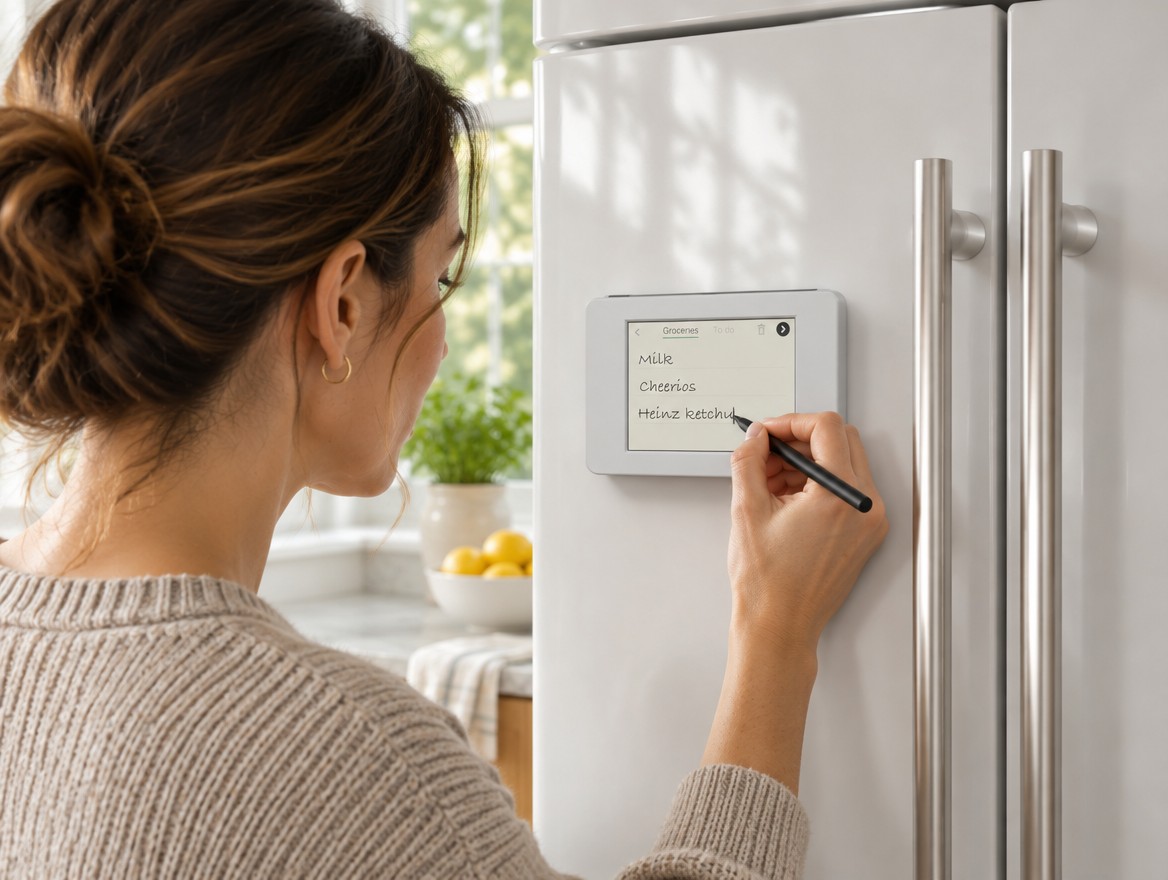
A woman writing Heinz ketchup with a stylus on OhListo, stuck to a white fridge door

Why it exists

You notice you're out of eggs in the kitchen, not in the shop. The paper list on the fridge stays at home; the app on your phone is three unlocks and a keyboard away. OhListo sits where you notice, and puts what you write where you shop.

Faster than an app

Swipe and write, with the stylus or a finger. No phone to find, no app to open, no keyboard.

The whole house adds to it

Anyone in the kitchen can add an item, including people without the app.

On your phone in the shop

What you write turns into text on OhListo's own list app on your phone: a web app on your home screen, no app store. Tick items off there as you shop.

Wakes when you touch it

No buttons, no switch. The screen is off until you touch it, and goes off again 3 minutes after you finish. While it's on, it dims itself with the room light.

Looks like it belongs

A rounded satin-silver case about the size of a large fridge magnet, with the stylus in a groove along the top. Magnets in the back hold it on, so nothing is stuck or screwed to the fridge.

Open and yours

Standard parts, open designs and open firmware. You can build one, repair it and change it.

From the fridge to the store

You write on the fridge. You read and tick on your phone. The fridge never shows the list; it only takes it down.

01 · At the fridge
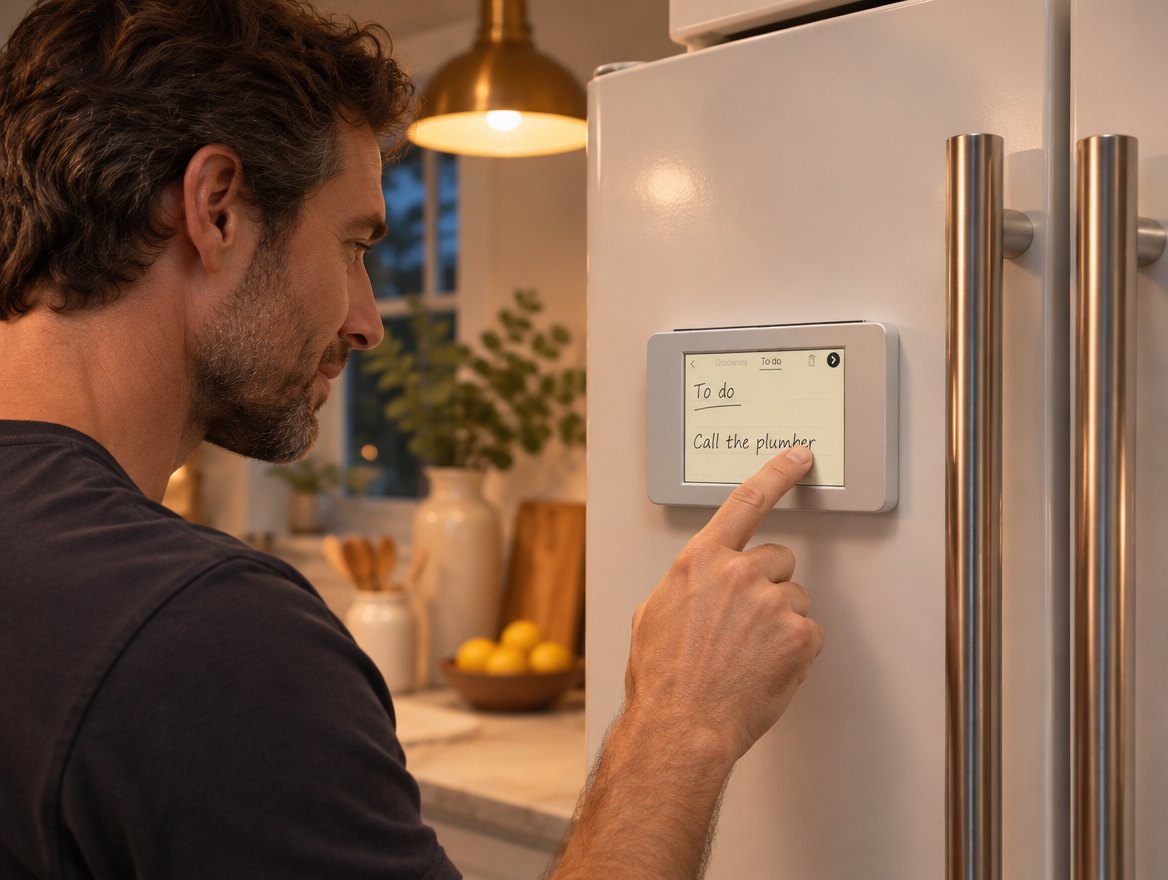
A man writing Call the plumber with his finger on the To do page of OhListo, on a fridge door in the evening

Swipe, pick a list, write

Touch OhListo to wake it (that first touch only wakes it). It shows the time and weather, turning through up to six cities you pick in the app, one every 10 seconds (tap to change city). Swipe it and you get a blank notepad. Choose Groceries or To do and write, one item per line, with the stylus or a finger. Tap the arrow for a fresh page, or the back arrow to return to the clock: either one sends what you wrote. The bin clears the page without sending it.
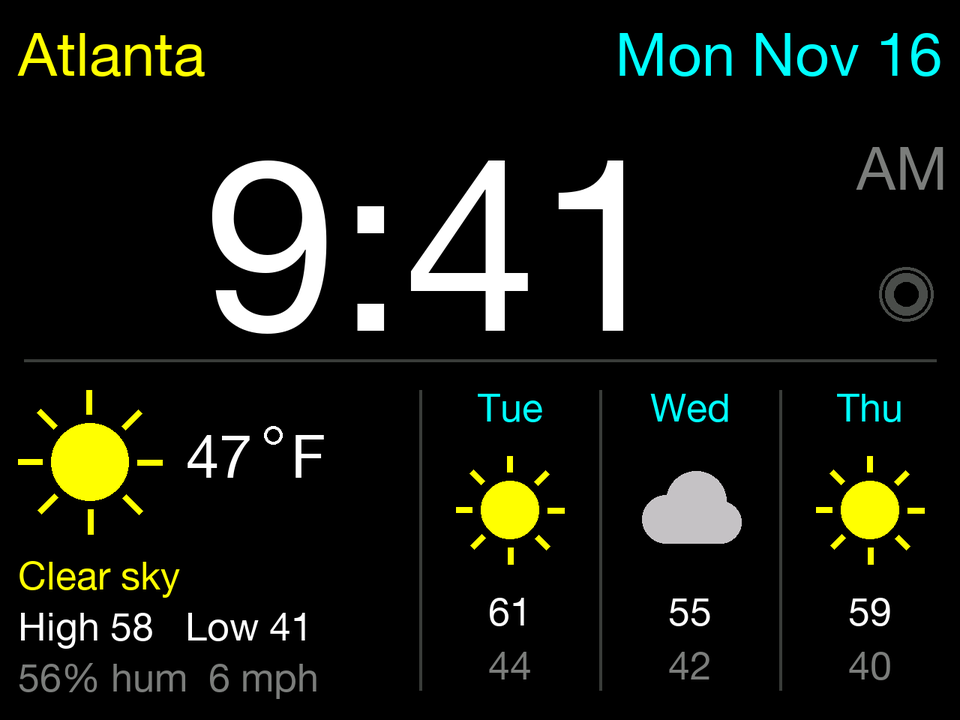
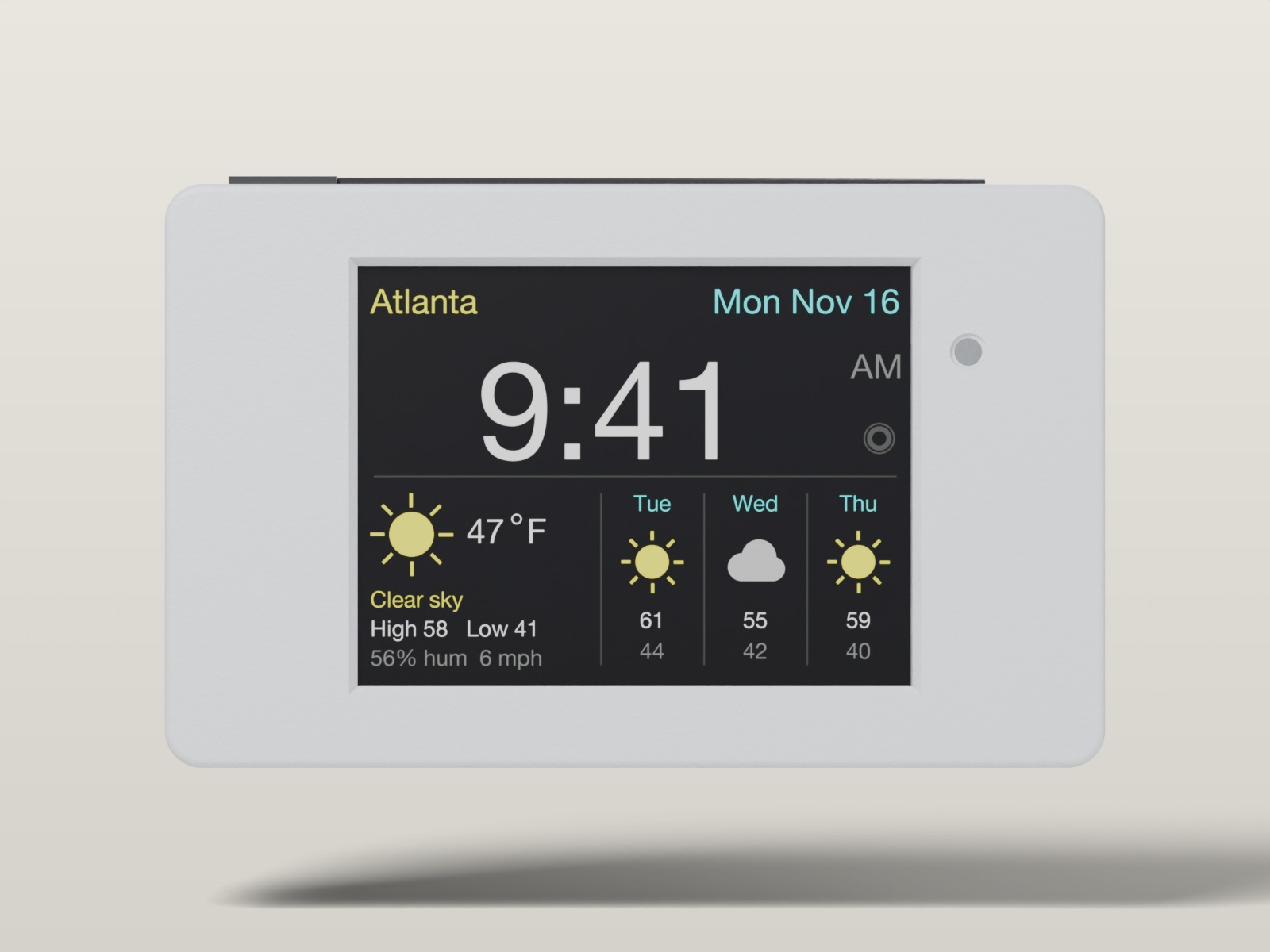
The fridge screen: the time, today's weather and a three-day forecast

The first screen: time and weather. Swipe for the notepad.
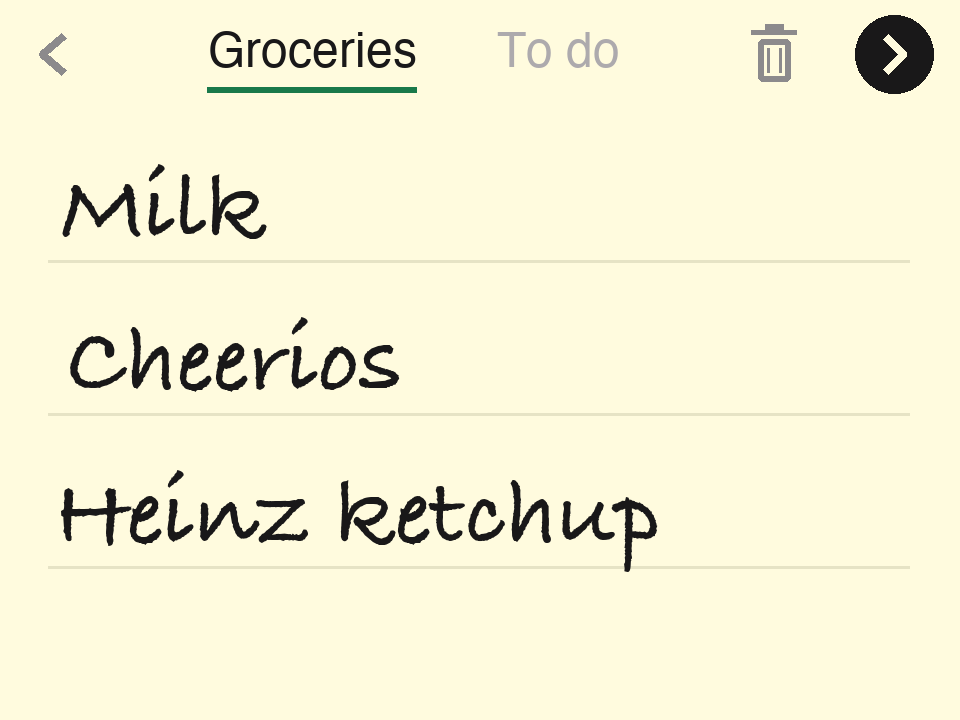
The fridge notepad: Groceries chosen at the top, with Milk, Cheerios and Heinz ketchup handwritten on ruled lines, a bin and a round arrow button

The notepad: Groceries chosen, three items written.

02 · On your phone, in the store
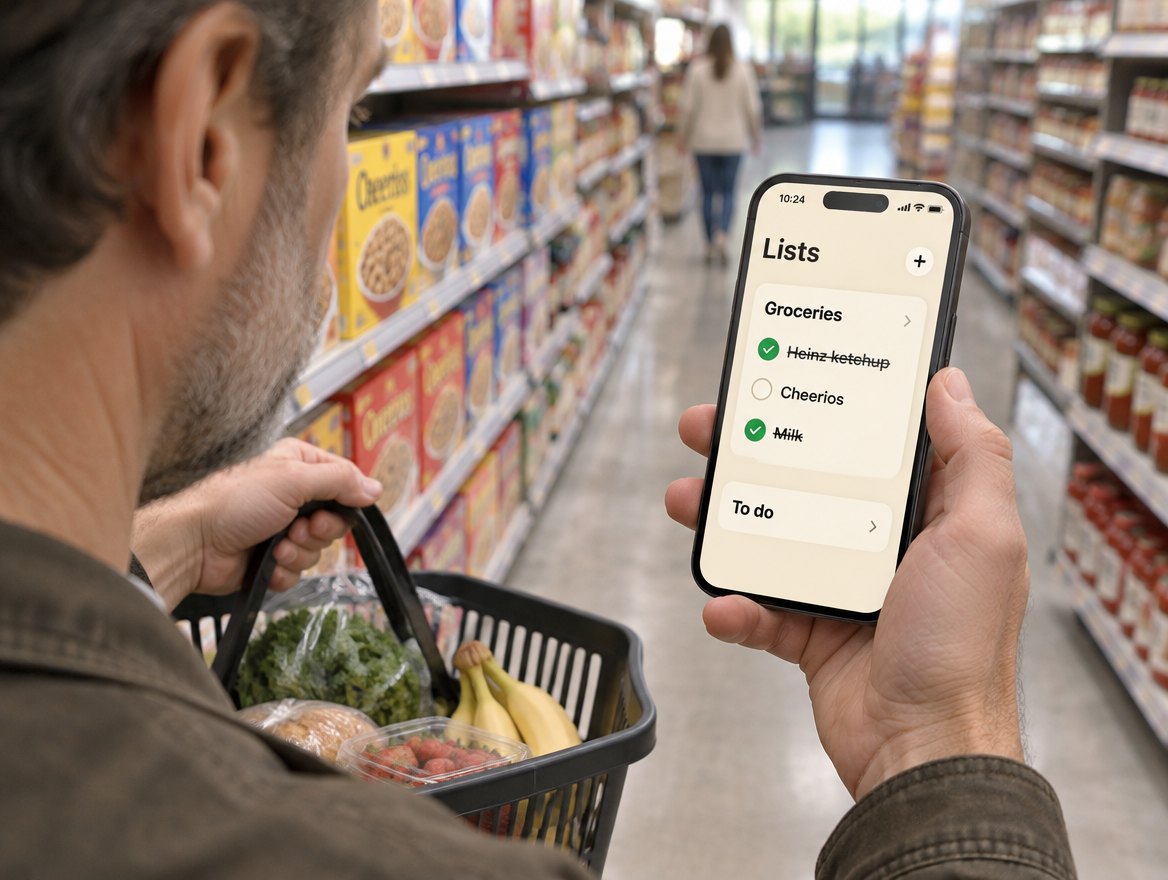
A man in a supermarket cereal aisle holding a basket and a phone showing his OhListo grocery list, with two items ticked

It's typed up, ready to shop

An AI model reads your handwriting in the background, and a few seconds later each line is a typed item on that list. Open the OhListo web app on your phone (a web page you add to your home screen, not an App Store app) and tick items off as they go in the cart. Anyone else signed in to the same account sees the ticks within seconds. When you're home, tap Clear 2 ticked (it counts them) to tidy up.
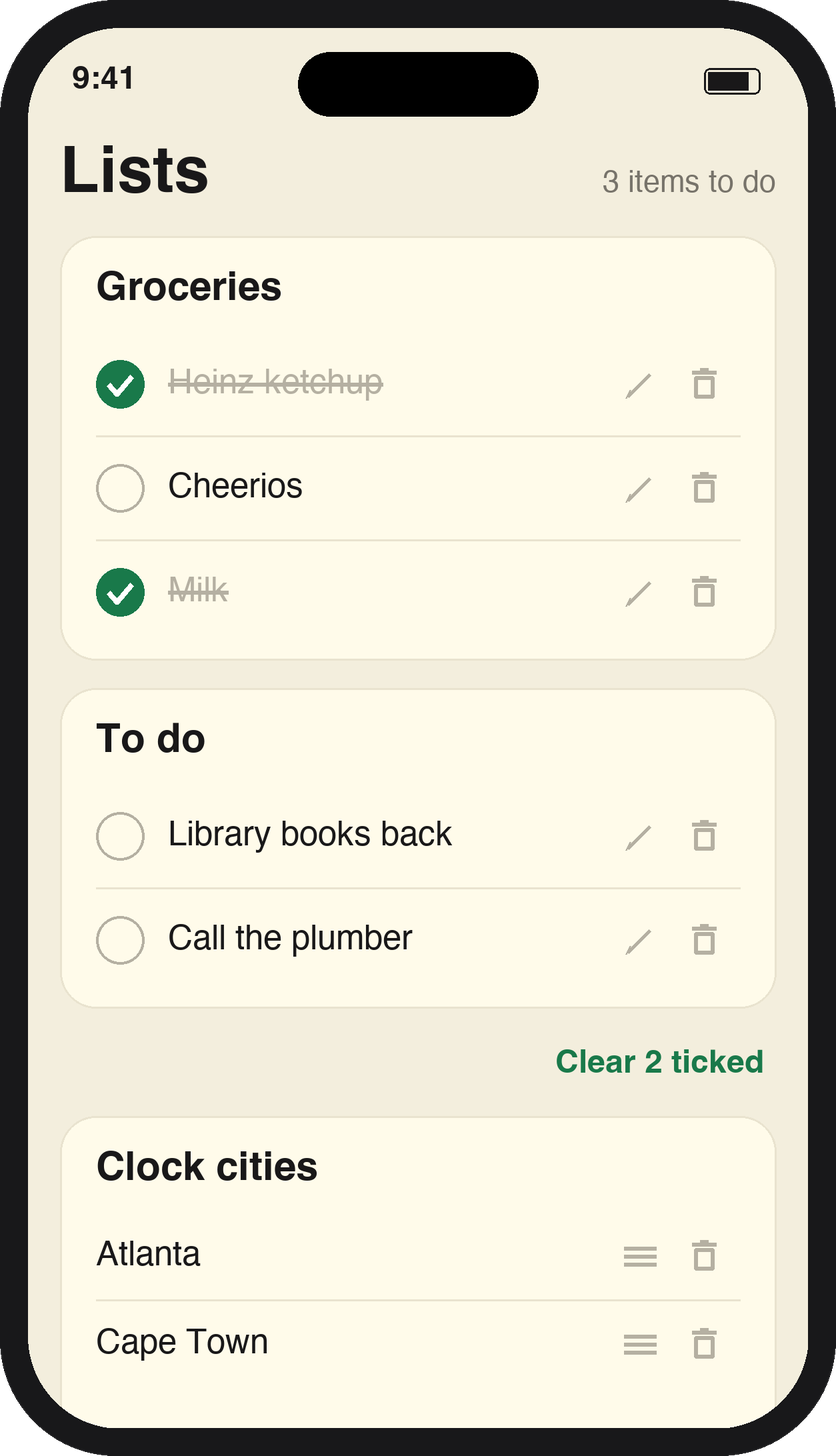
The list in the store: Milk and Heinz ketchup ticked and struck through, Cheerios still to get
03 · List intelligence COMING

It learns what you buy

OhListo will learn your household's patterns and look after the list for you:

  • Regulars. "I've added bread, since you usually buy it every week."
  • Specials. "Publix has your usual turkey brand on buy one, get one this week."
  • Coupons. "Here's a coupon for the fresh produce on your list."
  • Brands. Write "ketchup" and it remembers the one you buy.
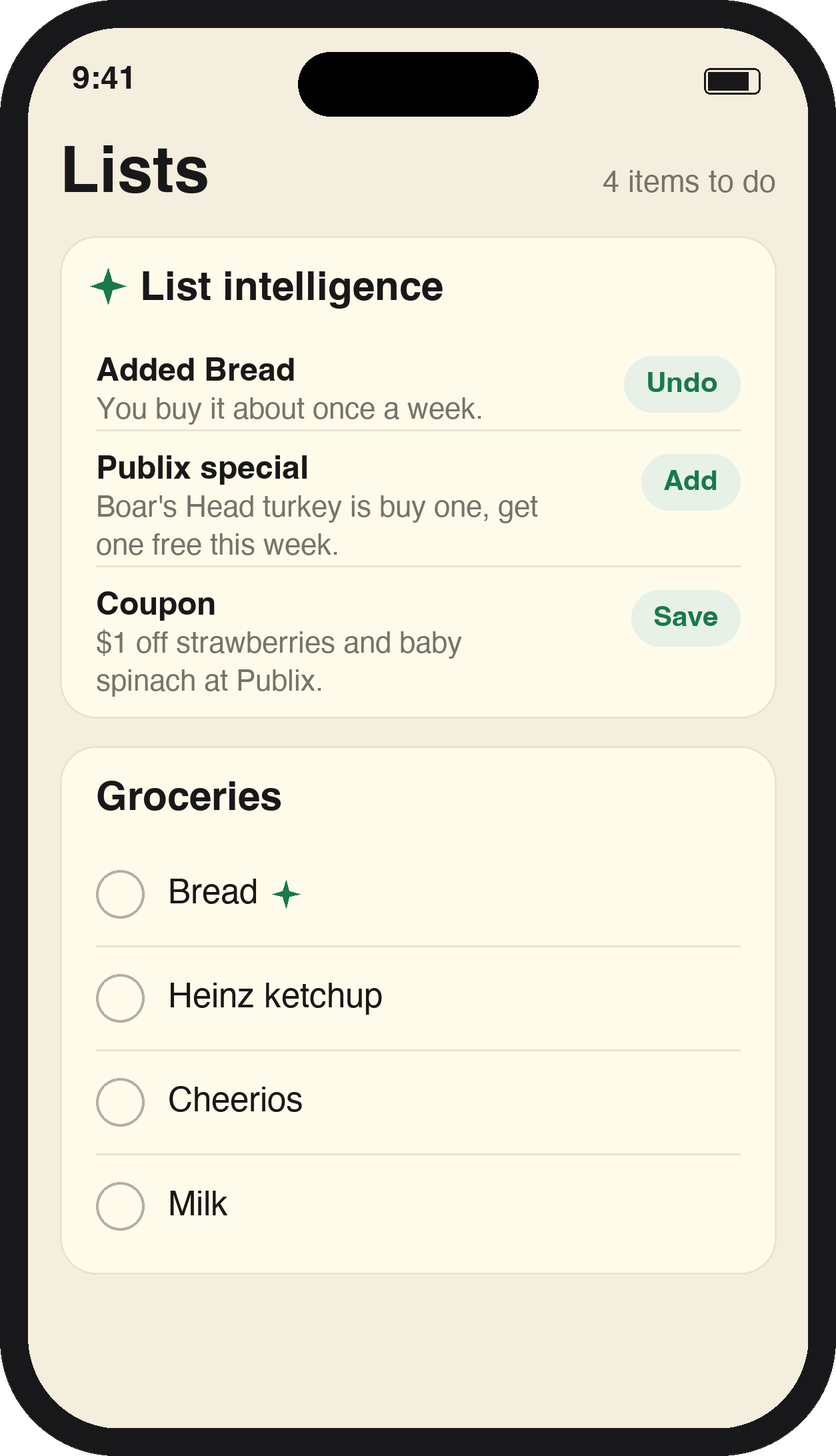
Concept phone screen: a List intelligence card that added bread, shows a Publix turkey special and a produce coupon, above the Groceries list

Setting it up

Plug it into a USB-C cable. The first time, OhListo makes its own Wi-Fi hotspot, OhListo-Setup: join it from your phone or laptop and pick your home Wi-Fi. Then the screen asks for a code: sign in at app.ohlisto.com, and type the 6-digit code you get by email on OhListo's number pad. That code is the only thing you ever type on the device.

One account can be signed in on several phones and browsers at once, each with its own emailed code, and they all see the same lists. Sign-in is invite-only while OhListo is being built. Phone screens are drawings of the web app, and the notepad picture is a drawing of the new design. The photos are AI-generated illustrations. List intelligence is planned, not built: its screen is a concept, and the special and coupon are made-up examples.
How it looks

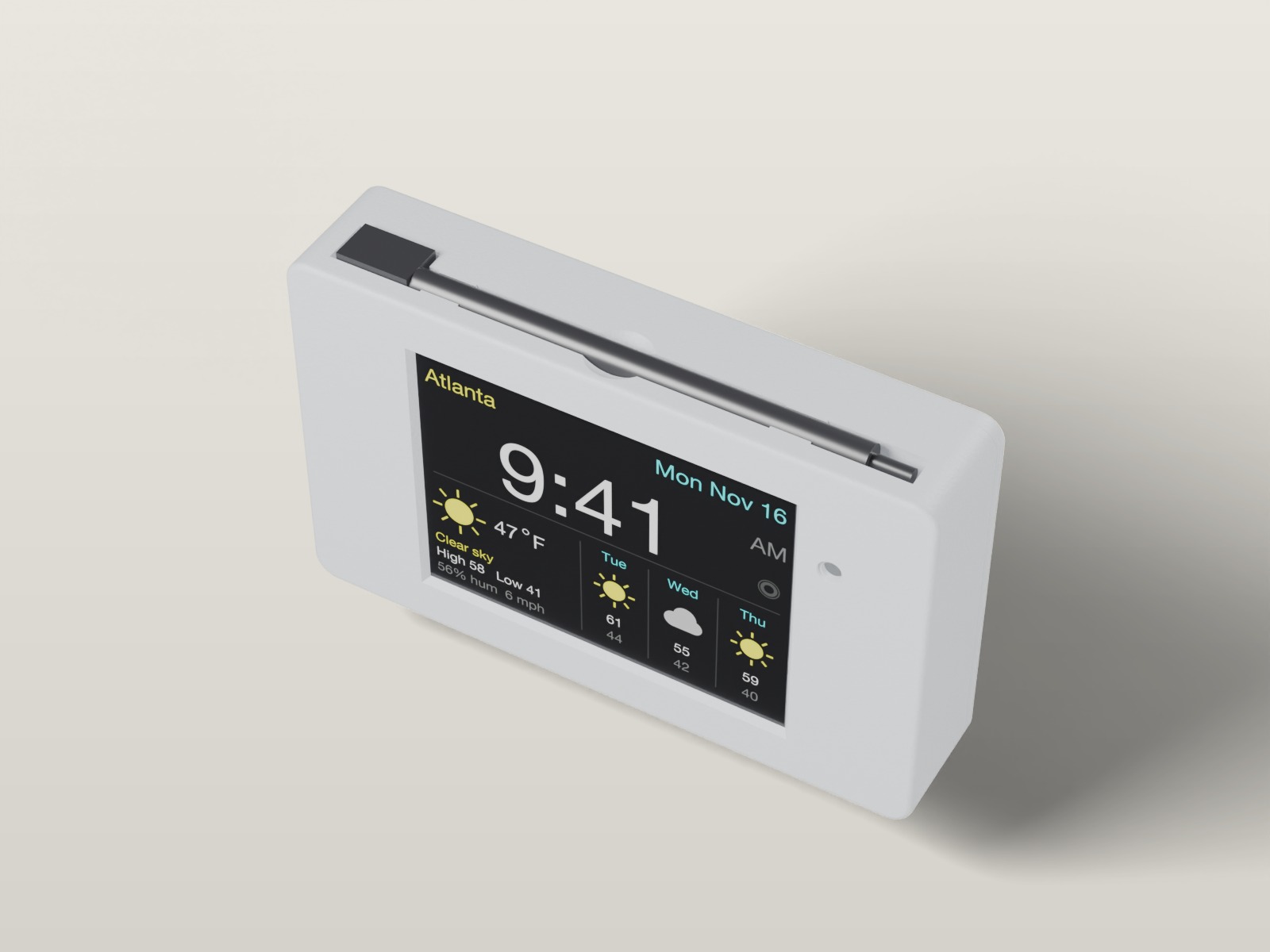
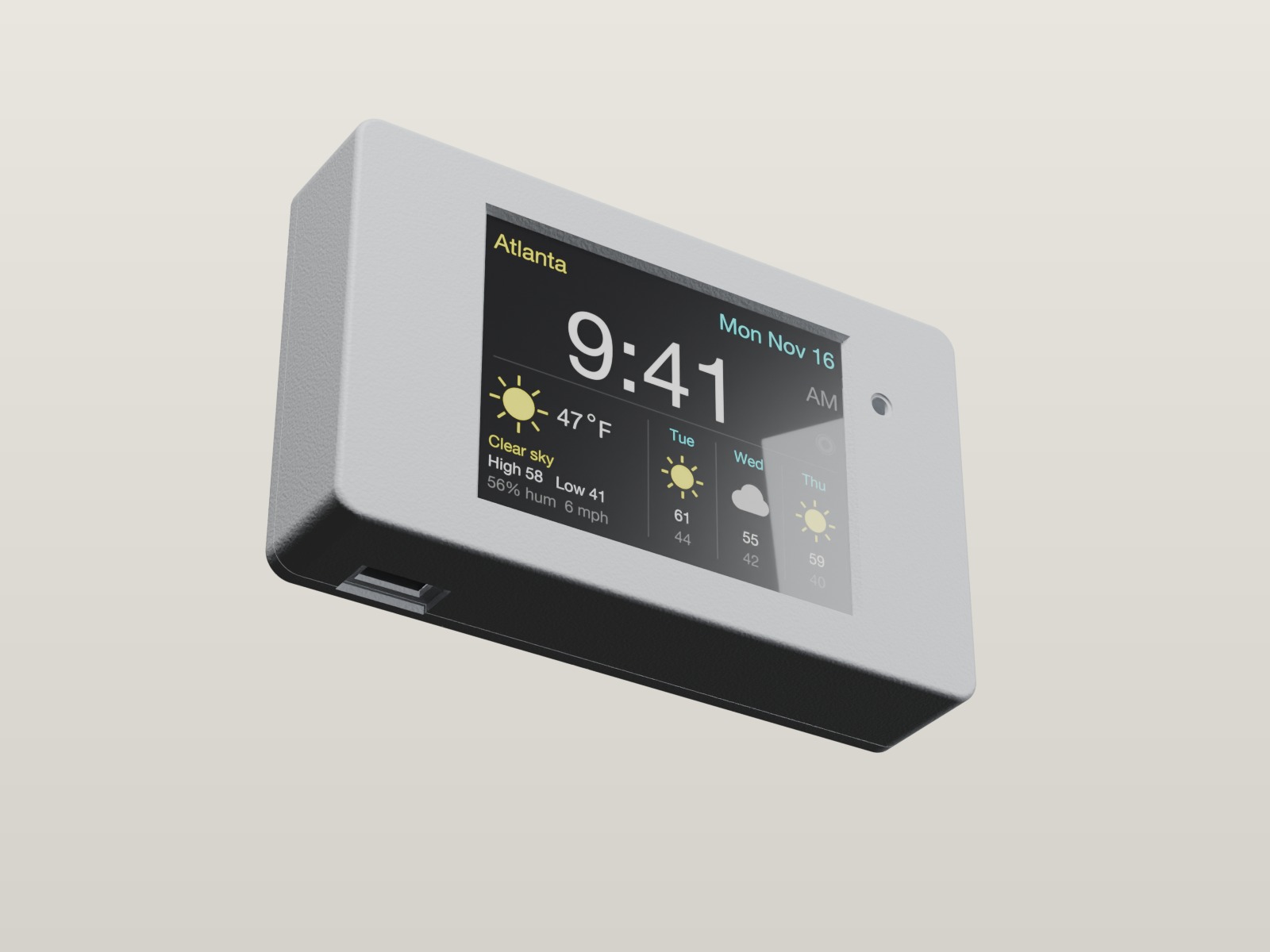
A rounded satin-silver case with the screen set in a plain flat front, behind a bevelled window, with a small 3 mm opening on the right that lets the light sensor dim the screen at night. The stylus clips into a groove along the top, and a USB-C cable powers it. The renders come straight from the CAD files; the case is still being refined, and the screen content is a mock-up.

CAD render, front: the screen in a rounded silver case
Front: the 2.8″ screen in a plain flat front
CAD render from above: the stylus in a groove along the top
Top: the stylus lives in a groove
CAD render from below, showing the USB-C socket planned for the battery version
From below: the USB-C socket planned for the battery version

What's inside

One small computer with the touch screen already on it, in a printed case with magnets in the back. It runs from a USB-C cable; a battery is planned but not built yet.

Parts

ESP32 board with a 2.8″ resistive touch screen, 320 × 240, USB-C version (ESP32-2432S028R, the "Cheap Yellow Display")Wi-Fi, screen, touch, light sensor; comes with a stylus
Neodymium magnets in the backHold it on the fridge
Printed case: body and backSatin silver
USB-C cable and a phone chargerPower

Size

Screen2.8″, 320 × 240
Caseabout 10 × 6 × 2 cm

The case is still being designed, so exact sizes come once it's printed and fitted to the real board. A battery, so it can run without the cable, is on the roadmap but nothing battery-related has been built or tested.

Roadmap

  1. Screen and touch. Working. The screen, touch, and dimming with the room light.
  2. Sleep. Working. The screen goes off 3 minutes after the last touch, and a touch wakes it. It stays on while a page is sending.
  3. Pages. Working. The time and weather for up to six cities, and a swipe to the handwriting notepad.
  4. Setup. Working. Wi-Fi through the OhListo-Setup hotspot, and sign-in with an emailed 6-digit code.
  5. Writing. Working. What you write goes through a small Cloudflare relay to an AI model, and each line comes back as a typed item. Stray dots are ignored.
  6. Phone list. Working. The OhListo web app: Groceries and To do, tick, edit and remove items, clock cities, and the same lists on every signed-in phone.
  7. Case. Print the case, fit it to the real board and adjust.
  8. Battery. Later. Run without the cable, then measure how long it lasts between charges.
  9. List intelligence. Later. Learn what your household buys and how often: add regulars before you run out, remember your brands, and point out specials and coupons for what is on your list.

License and credit

The concept, design and documents are by agplusman. The design history is dated in the project's git log and the saved design conversations, starting 16 November 2026.

Designs and documents

CC BY-NC-SA 4.0. You may copy and change them if you credit OhListo by agplusman, don't use them commercially, and share your changes under the same license.

Firmware

GPL-3.0, the same as OhRondo: you may change and share it, and shared changes stay open.

Commercial use

To sell a product based on the case, screen designs or documents, ask for a commercial license through GitHub (agplusman).

"OhListo" is a working name. A search of the US trademark database on 16 November 2026 found no OhListo marks, but there are other "Listo" marks, including one for online services. Parts of the code, case and documents were drafted with AI help under the author's direction.